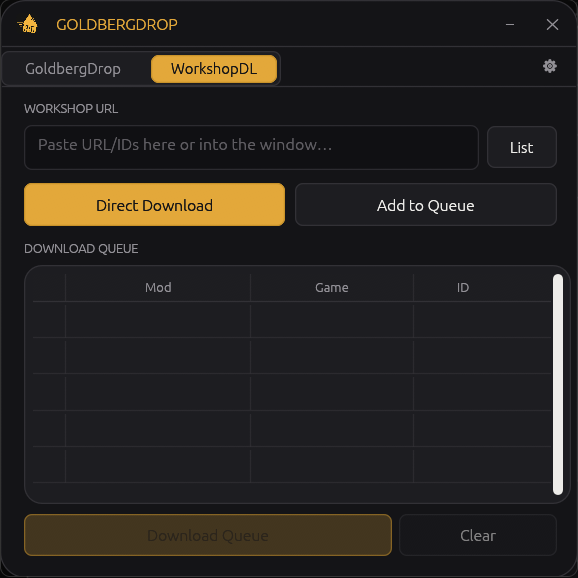
Workshop
Queue Steam Workshop items and land them in the right folder.
- Paste links or IDs into a download queue
- GGNetwork first, SteamCMD as fallback
- Output folder under Settings
 GoldbergDrop
Drop a game exe, confirm the Steam title, set up offline play — no config files by hand.
Free · one exe · no installer · SmartScreen: More info → Run anyway
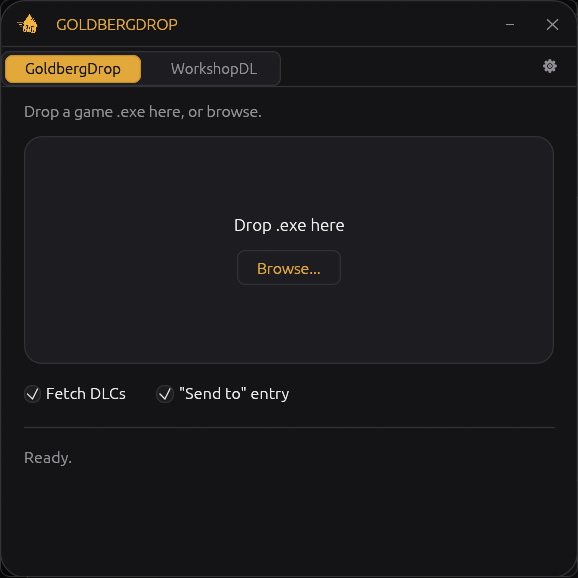
From drop to play · 1 / 3
Put the game’s exe on the window or pick it in a dialog. Or enable Send to and ship files straight from Explorer.
From drop to play · 2 / 3
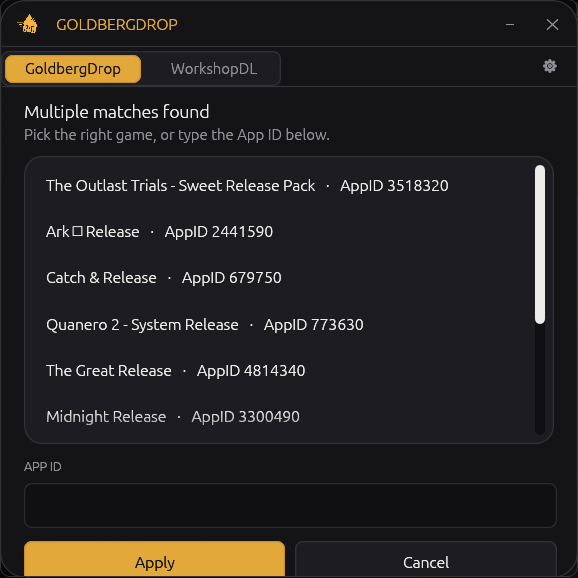
GoldbergDrop suggests Steam matches. Name looks good? Apply. Otherwise type the App ID — done.
From drop to play · 3 / 3
One click writes the files into the game folder. Then run it as usual — or from the tray, without Steam in the background.
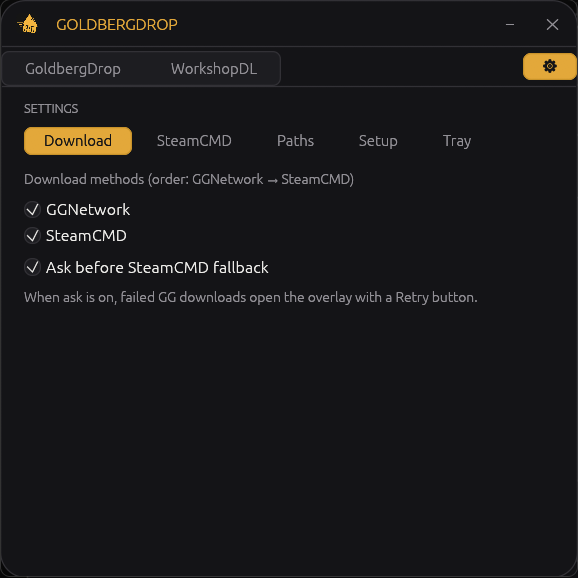
Optional extras around the same tool — core flow is still drop → match → set up.
Queue Steam Workshop items and land them in the right folder.
Optional Steam helper — install and control from one place.
Keep games one right-click away after setup.
Ship an exe to GoldbergDrop without opening the window first.
No pile of windows when you open another file.
Small checklist so nothing surprises you later.
Tip: GreenLuma is great for play, rough for updates. Prefer plain Steam for downloads — GoldbergDrop can remind you after you exit a game.
Download
Free Windows exe from GitHub. One file, no installer, no account.
SmartScreen may warn → More info → Run anyway. 7-Zip only for GreenLuma / archive import.